Canasta Card Game
- 4.6
- Rating
- 100.00K
- Installs
- Free
- Price
 Analysis by App-foxy
I tend to return to card games when I want something absorbing without the commitment of a large adventure or strategy title. Canasta Card Game fits that mood well: it is a focused card game from FIOGONIA LIMITED that lets me settle into the rules, make a few decisions, and stop whenever I have had enough. The free entry point makes it easy to try, while the familiar Canasta format gives it more depth than a quick matching game.
What makes this particular release appealing is its straightforward purpose. It is built around classic Canasta rather than trying to turn the format into a noisy collection of unrelated activities. I found that useful when I wanted a quiet game for a short break, especially because the store summary presents it as playable offline. That makes it a natural companion for travel, waiting rooms, or any moment when I do not want to depend on a connection.
The game has reached a 4.6 average from around 3,500 ratings, with more than 1,000 written reviews and over 100,000 installs. Those figures suggest that it has found a real audience, but they do not remove the need to consider whether its particular pace and presentation suit you. Canasta is a game of planning, discarding, and remembering what has already appeared, so it rewards patience more than frantic tapping.
You May Also Like

 Blood Strike: 2.5 Anniversary
Blood Strike’s Loadouts Turn Every Drop Into a Tactical Gamble
A close look at Blood Strike’s custom loadouts: how fast access to signature weapons reshapes its battle royale rhythm, rewards preparation, and narrows the gap between fights.

 Pandora - Music & Podcasts
Pandora’s Music Is Easy to Start, but Harder to Recover
Pandora’s strength is its low-effort path from a seed to a station. Its weak spot is how much confidence it asks you to place in connection, setup, and quiet recovery.

 8 Ball Pool
8 Ball Pool Is Built on Rivalries, Rematches, and Routine
A close look at the rivalries, rematches, shared routines, and unanswered safety questions that turn a quick pool match into a persistent mobile community.

 Samsung Music
Samsung Music’s Quiet Strength Is Playing What You Already Own
Its reach comes less from spectacle than from dependable access to a personal library. That simplicity is both the app’s strongest retention engine and its ceiling.

 AccuWeather: Weather Radar
AccuWeather Review: A Quick, Clear Forecast for Everyday Decisions
For everyday plans, the best forecast is the one you can understand quickly. AccuWeather makes rain timing, radar, and local conditions easy to act on, with a few trade-offs.

 Hill Climb Racing
Why Hill Climb Racing Still Turns Crashes Into One More Run
A tiny car, a bumpy hill and one more upgrade: Hill Climb Racing keeps resurfacing because its simple chaos makes every near-miss feel personal.
More From Our News Desk
View All News


Getting past the first points of friction
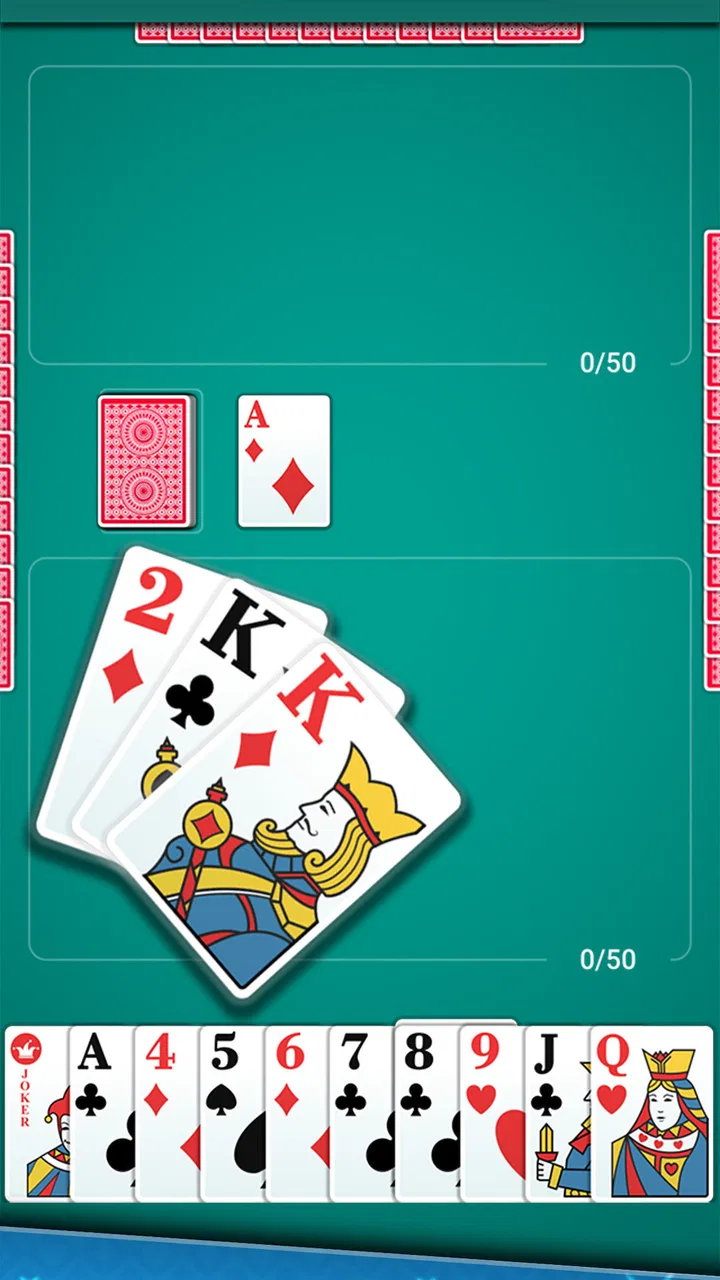
The first place I would expect a new player to get stuck is not installation itself, but understanding what the game expects during a turn. Anyone familiar with simpler draw-and-discard card games may initially treat every useful-looking card as worth keeping. In Canasta, that instinct can create an awkward hand. A card may be valuable because it completes a group, but it may also be dangerous to hold if it gives the other side an attractive discard pile.
I recommend taking the opening rounds slowly instead of trying to play at maximum speed. Look at the cards already collected, identify which groups are realistic, and think about what your discard tells the opponent. The practical lesson is that the best move is often the one that preserves options, not the one that produces the largest immediate combination.
Another common stumbling block is the difference between knowing the broad idea of Canasta and knowing the exact rhythm of a digital implementation. A player may understand that cards are grouped, yet still hesitate when deciding whether to draw, take a pile, or discard a card that seems harmless. That hesitation is normal. I found it more productive to use several early hands as practice rather than judging the game after one confusing round.
Because this is a dedicated card game, the experience can feel slower than a casual arcade title. That is not a defect for everyone. It gives me time to reconsider a move and notice patterns in the hand. However, readers who want instant rewards, constant animation, or very short reflex-based sessions may find the deliberate pace less satisfying.
What to check before blaming the game
Before starting a serious session, I would make a few simple checks. The game is free to download, but optional in-app purchases range from $4.99 to $29.99 per item. I treat that as a reminder to review purchase controls on the device, particularly if children also use the phone or tablet. The content rating is Everyone, which makes it broadly accessible, but an age rating does not replace sensible purchase supervision.
The listed minimum operating-system requirement is Android 7.0. If the app refuses to install or behaves strangely on an older device, checking the system version is a more useful first step than repeatedly reinstalling it. I also make sure there is enough free storage and that the device is not struggling with many open apps. Those are ordinary checks, but they prevent a surprising number of false alarms.
The current version is 1.3.1, so I would also check whether the installed copy is current before spending time diagnosing a problem. An update can resolve compatibility issues, but it can also change the way a menu or control feels. After updating, I prefer to play a short practice hand first, then decide whether the behavior I noticed is genuinely disruptive.
For offline play, I would prepare the session while the device has a stable connection. That means opening the game, allowing any normal setup process to finish, and confirming that the main game area loads before leaving home. This is not a promise that every device will behave identically without a connection; it is simply a sensible workflow for a title intended to be available offline. If the app opens normally before a journey, I am less likely to be surprised when I need it later.
Battery condition can matter as well. A card game is not especially demanding compared with a modern 3D title, but an aging phone may still close apps when power is low or background activity is restricted. If a session ends unexpectedly, I first check battery-saving settings and available memory. I do not assume the card game itself is at fault until those basics have been ruled out.
A calmer way to recover a disrupted session
When a hand stops feeling clear, my first recovery method is to pause mentally rather than tapping through the next move. I review the cards already grouped, the cards still in hand, and the likely reason I kept each one. If I cannot explain why a card is there, it may be time to discard it. This small reset is more useful than trying to repair a poor plan with increasingly hurried decisions.
If the app closes, I reopen it and check where the session resumes before making another move. I avoid immediately starting several new hands, because that can make it difficult to tell whether the original issue was a temporary interruption or a repeatable problem. If the game loads correctly afterward, I continue with a low-pressure round and watch for the same behavior.
For a display or touch problem, I use a practical sequence: close other apps, restart the device if necessary, and launch the game again. I also check whether the issue appears only in one part of the interface or throughout the whole session. A single mistap may be my timing; repeated missed taps in the same area are more useful evidence of a genuine usability issue.
One of my more useful habits is to avoid changing several things at once. If I update the app, change system settings, clear space, and restart simultaneously, I will not know what helped. A simple one-step-at-a-time approach makes troubleshooting less frustrating and helps me decide whether the problem is worth reporting or whether it was just a temporary device hiccup.
There is also a gameplay recovery technique that matters more than it first appears. If I fall behind, I stop chasing every possible group and focus on reducing dead cards in my hand. Trying to force a dramatic comeback can expose too much useful information to the other side. A controlled recovery may produce a less exciting round, but it teaches me more about the game and usually leaves me better prepared for the next hand.
When the source of trouble is somewhere else
Not every interruption is caused by the application. A phone that is nearly full, overheating, or aggressively limiting background activity can make any game appear unreliable. If other apps are also freezing, the broader device environment deserves attention. I would test the game after closing demanding apps and letting the phone cool rather than immediately concluding that Canasta Card Game is unstable.
Network expectations can create confusion too. The offline focus is one of the release's strongest practical qualities, but offline does not necessarily mean that every first-run action can be performed without preparation. If a player waits until a flight or commute to install and configure the game, an incomplete setup may look like a failure of offline support. My advice is simple: install it ahead of time and open it once while connected.
Purchase screens can also be mistaken for a technical problem if the player assumes every part of the experience must be unlocked without interruption. Since the game is free with optional purchases, I would read each prompt carefully and close it if I am only trying the basic experience. Keeping purchase authentication enabled on the device is especially sensible for shared phones.
The developer is FIOGONIA LIMITED, and the release date was June 29, 2023. That context matters when setting expectations. This is not something I would choose because I expect a constantly changing social platform; I choose it for a contained card-game experience. If your priority is a huge competitive community, frequent live events, or a broad collection of modes, a larger card-game platform may be a better match.
Small decisions that improve everyday play
My first practical tip is to separate learning sessions from score-focused sessions. During the first few hands, I pay attention to how quickly the discard pile becomes tempting and what kinds of cards seem to shape the round. I do not worry about perfect results. Once the turn flow feels natural, I begin thinking more deliberately about timing and hand management.
My second tip is to use offline availability as a planned feature rather than an emergency fallback. I keep a short session in mind for places where I know I will have limited connectivity, but I prepare the app beforehand. That turns it into a dependable travel option instead of a last-minute experiment. It also makes the game useful in brief gaps, because I am not spending the first minutes waiting for setup.
A third insight is that Canasta works best when I treat discards as information. I do not only ask whether a card helps me; I ask what its absence or presence might reveal about the other side's likely needs. This makes the game more thoughtful than a simple exercise in building groups. It is also the reason I would not recommend rushing through turns while distracted by another task.
A fourth trade-off concerns purchases. The free starting point is convenient for testing whether the rules and pace suit you, but players who become invested should decide in advance how much they are comfortable spending. I would not make a purchase simply to solve confusion about the rules. First learn the basic flow, then decide whether any optional item genuinely adds value to your own way of playing.
For an everyday scenario, imagine having twenty quiet minutes before an appointment. I would open the game after preparing it at home, play a hand without needing to search for an opponent or maintain a connection, and stop when my name is called. That is where the app feels most convincing: it fills a small pocket of time without demanding the attention or storage commitment of a much larger game.
Who should choose it, and who should look elsewhere
I think this release is a good fit for people who already enjoy classic Canasta, players who want a portable card game, and beginners willing to learn through a few unhurried hands. It is also suitable for someone who prefers a focused experience over a crowded app full of unrelated modes. The Everyone rating makes it approachable for a broad audience, although younger users still need supervision around optional purchases.
I would be more cautious about recommending it to players who dislike traditional card-game pacing. If you want rapid rounds with constant novelty, the careful decisions may feel repetitive. It may also be the wrong choice if your main reason for downloading a card game is live competition, social interaction, or a large range of variants. In those situations, a broader multiplayer card platform could offer more variety.
Compared with playing Canasta with a physical deck, the app is more convenient and easier to carry. I do not need a table, a second person, or a place to keep cards from sliding around. The compromise is that a digital interface can make rules and turn choices feel less transparent at first, especially for someone who learned the game socially. A physical game remains better for conversation; this app is better for solo convenience.
Compared with lightweight solitaire-style alternatives, it asks more of my memory and planning. That is a strength when I want a meaningful decision, but a weakness when I only want to switch off for a minute. Compared with feature-heavy card suites, its focused identity is refreshing, though it may feel limited to users who want many different games in one download.
My practical verdict after using it
Canasta Card Game succeeds because it understands the appeal of a classic format: familiar rules, manageable sessions, and decisions that become more interesting as I learn to read the hand. Its free availability lowers the risk of trying it, and the offline emphasis makes it especially useful for travel and short breaks. The 4.6 average and the size of its installed audience support the impression that many players find the basic experience worthwhile.
My recommendation comes with a clear condition: give yourself time to adjust. The first session may feel less smooth if you expect every move to be obvious, and a poor opening hand can make the game seem more confusing than it really is. Check the Android requirement, prepare the app while connected, protect purchases on shared devices, and use a few practice hands to learn the rhythm before judging it.
For me, this is best viewed as a dependable, focused card game rather than an all-purpose entertainment hub. It is not the choice I would make for a busy online community or constant content changes. I would choose it when I want Canasta in a compact form, with enough strategic tension to keep a quiet break interesting. If that is the kind of session you are looking for, this release is worth trying; if you need speed, social competition, or a large menu of card games, another option will probably serve you better.
FAQs for Canasta Card Game
01What is Canasta Card Game, and how is it played?
Canasta Card Game is a digital version of the classic rummy-style card game, usually played by two teams or individual players. The main objective is to create melds of cards with the same rank and score enough points to win. Players draw and discard cards, build sets, and try to complete a canasta, which is a group of seven cards of the same rank. Rules and scoring may vary depending on the selected game mode.
02Can I play Canasta Card Game offline or without creating an account?
Many Canasta Card Game versions offer offline play against computer-controlled opponents, which is useful when traveling or when you do not have a reliable internet connection. However, available options depend on the specific app. Some features, such as online multiplayer, leaderboards, cloud saves, or achievements, may require an account or an active connection. It is worth checking the app’s requirements before downloading.
03Does Canasta Card Game support multiplayer with friends?
Canasta Card Game may include several multiplayer options, such as online matches, private rooms, invitations, or local play, depending on the version installed. Online games generally require an internet connection and may involve matchmaking with other players. Before downloading, check whether the app supports the exact style of multiplayer you want, because some editions focus mainly on solo games against artificial intelligence.
04Is Canasta Card Game free to download, and does it contain advertisements or in-app purchases?
Most Canasta card game apps can be downloaded for free, but they may include advertising, optional purchases, or premium upgrades. Advertisements can appear between rounds, while purchases may remove ads, unlock additional themes, provide special features, or improve access to online modes. The basic game is often playable without spending money, but reviewing the store listing and payment details is recommended before installing.
05Is Canasta Card Game suitable for beginners, and can I customize the difficulty?
Canasta is easy to start but can become surprisingly strategic, especially when managing wild cards, discards, and the timing of a canasta. A good app should provide tutorials, explanations, or a practice mode for new players. Difficulty settings are also helpful because beginners can start with easier computer opponents and gradually move to more challenging levels as they become familiar with the rules and scoring.
Pros
- Clear rules and helpful tutorials make it easy for beginners to start.
- Smooth card animations keep matches enjoyable without feeling distracting.
- Several difficulty levels suit both casual players and experienced card fans.
- Offline play lets you enjoy matches without a Wi‑Fi or mobile connection.
- Simple controls make drawing
- melding
- and discarding cards quick to manage.
Cons
- Some advanced options may require watching ads or making in-app purchases.
- Computer opponents can feel predictable after playing several consecutive matches.
- The interface may look dated compared with newer card game applications.
- Long matches can become repetitive if you prefer faster-paced card games.
- Progress and settings may not transfer easily between different devices.

Canasta Card Game
Gallery